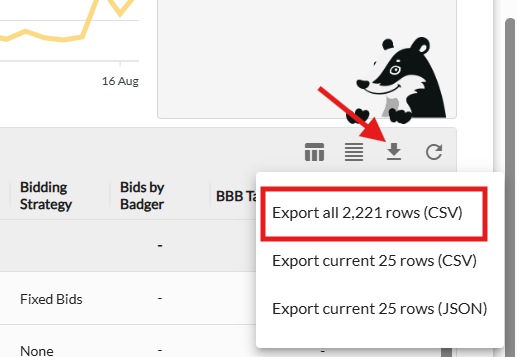
You can export complete dataset files for individual tables across the platform using the Export All feature.
Unlike standard table previews that limit visible output to 1,000 rows, the Export All function generates a file containing every single row of your data.
Tables Supporting "Export All"
You can export full dataset files from the following sections:
-
Performance & Analytics
-
Product Performance: Ad Data and Total ACOS tables
-
Search Query Performance: "Search Trends" table
-
N-Gram Explorer
-
-
Optimization & Auditing
-
Duplicate Hunter
-
Quick Attack tables
-
-
History & Tracking
-
Bid Change History tables (Keyword, Target, and Ad Group)
-
Dayparting and Nightly Hunt history tables (Negatives and Positives)
-
How to Download Your Data
-
Navigate to the table or tool you wish to export.
-
Set your desired date range or filters.
-
Click the Export All button above the table to download your full dataset file.