Non-converting spend represents the ad budget spent on clicks that did not result in sales. This happens when search terms are ineffective and don’t directly translate to sales. This metric is crucial for understanding the efficiency of your Amazon PPC campaigns.
Ad Badger’s unique tool, the Non-Converting Spend Dashboard, clearly highlights what you need to know so you can take the precise action you need to optimize your Amazon Advertising strategy.
Key Metrics to Monitor
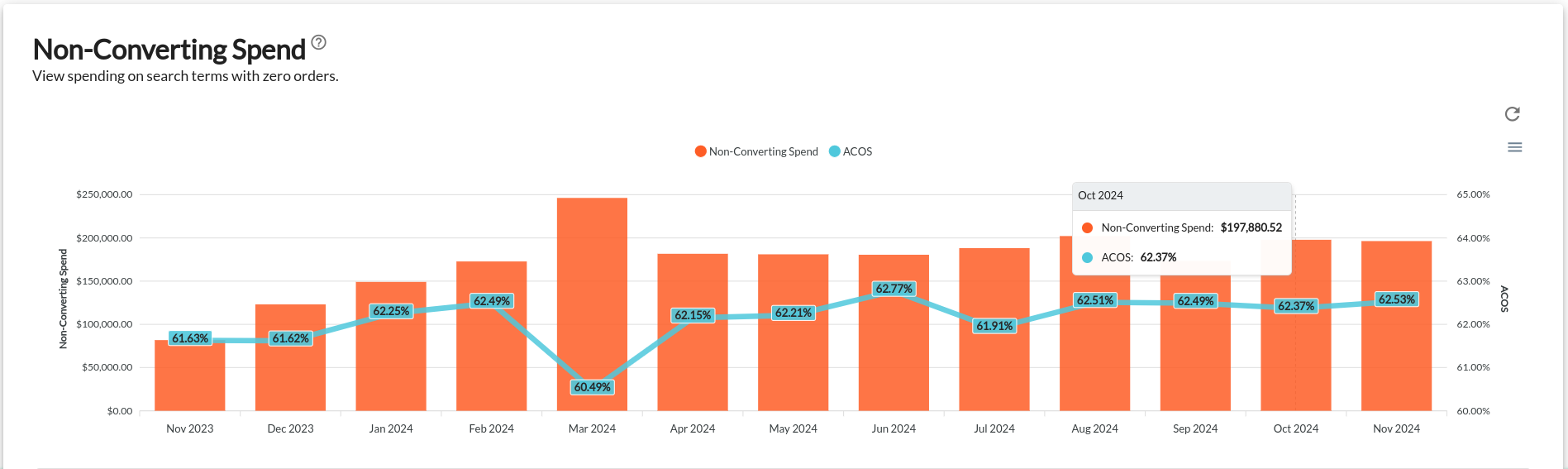
Graph Insights
-
Orange bar: Represents non-converting spend
-
Blue line: Shows Advertising Cost of Sales (ACOS)
Optimal Performance Indicators
-
Short orange bars
-
A blue line closer to 0% than any other number
-
Minimal vertical growth in either metric
Detailed Analysis in the Table View
The “Without Orders %” column provides critical insights:
-
Higher numbers indicate potential issues with:
-
Lower numbers indicate healthy campaigns!
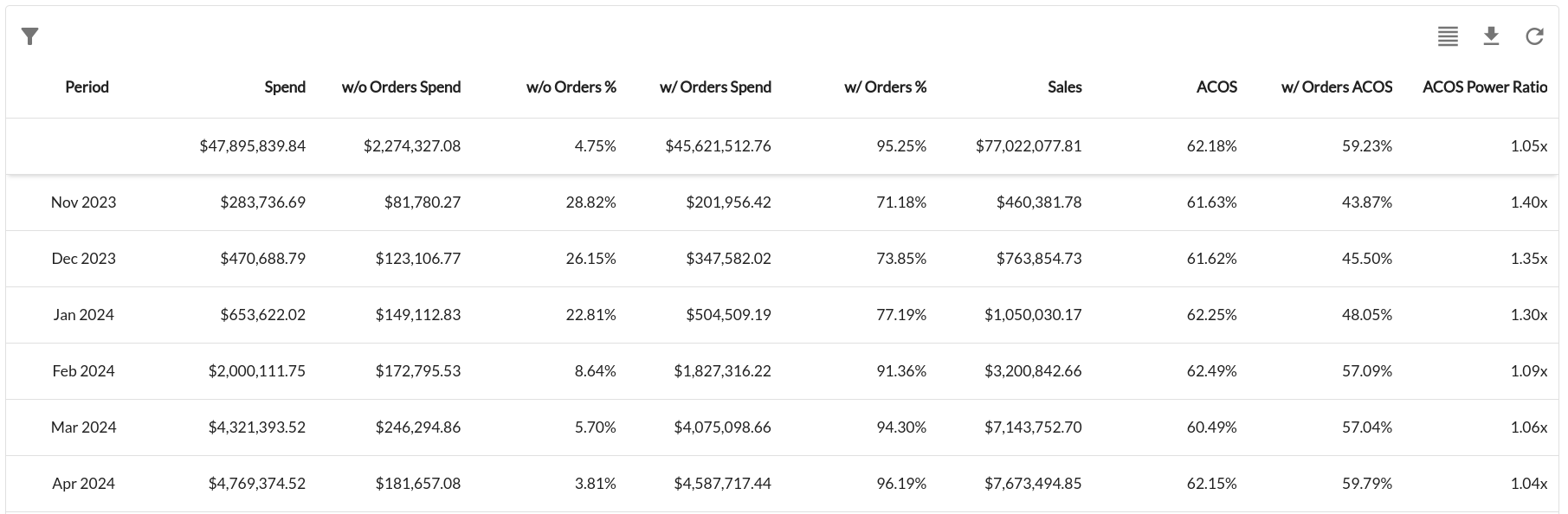
Pro Tip: This table always displays the latest 12 months. Export table data regularly to preserve all of your historical data.
Recommended Next Steps
Optimize Your Campaigns With Additional Tools
Take control of your Non-Converting Spend by leveraging these integrated tools. Each feature is designed to help you:
-
Reduce unnecessary ad spend
-
Improve campaign targeting
-
Increase overall advertising ROI
Recommended Tools
We recommend beginning with the Poor Performers Tool and then taking it to the next level by automating your needs with the Negative Keyword Nightly Hunt.
If you have further questions or require additional assistance, don't hesitate to reach out to our PPC team. We're here to help you make the most of your campaigns!